Do you want to be an Affiliate for the panel and earn money? Here’s a step-by-step process on how you can become a panel affiliate.
After logging in, click on your username menu in the top main menu, then choose Affiliate Program.
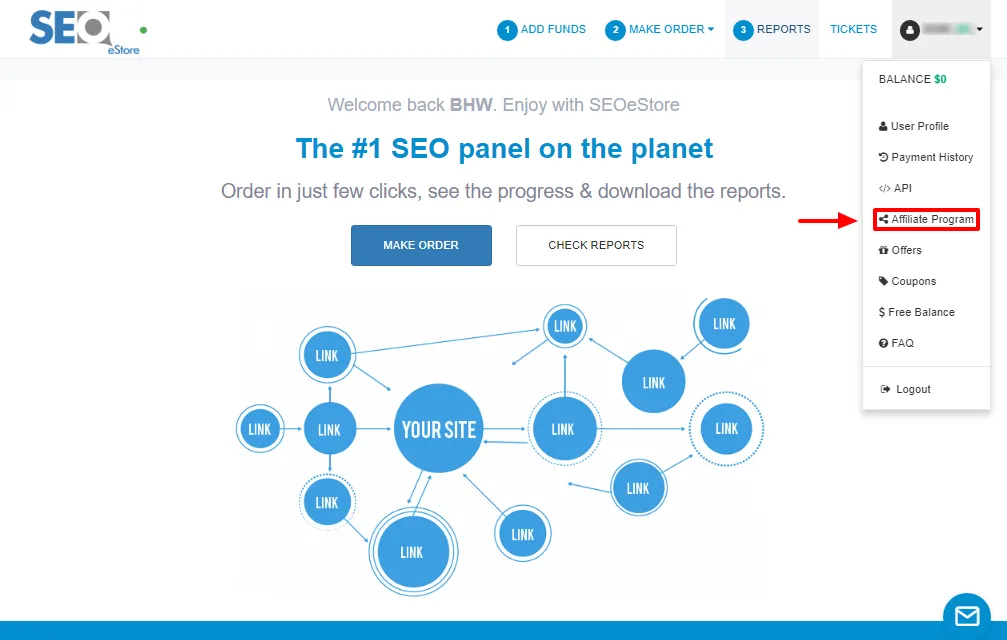
That should lead you to Affiliate Program page.
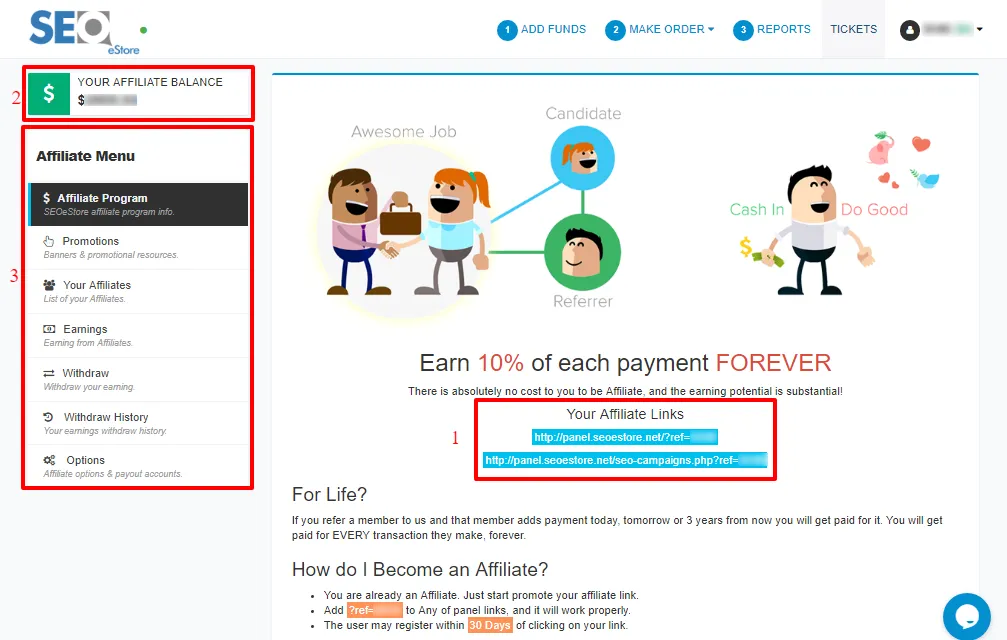
1- Your Affiliate Links: use your links to refer people to SEOeStore site by Adding ?ref=your username to Any of panel links
-
Copy your link and place it on your website, forums, social media sites and any other platforms that you can get traffic.
-
When interested people click on these links they get redirected to the SEOeStore site.
-
After someone register to the panel through your link, this means that you have a new affiliate
you can show on your Affiliates by clicking on Your Affiliates button in Affiliate Menu at the left of the page
-
If this member adds payment, you as the referrer will get a commission and your affiliate balance will increase.
2- YOUR AFFILIATE BALANCE: showing your total affiliate balance, and it increases as each of your affiliates adds payment.
3- Affiliate Menu: includes 7 buttons that will be mentioned later in other guides